

Table Of Contents
- 1Introduction
- 2What Is A Student Success Program And Why Does It Matter?
- 3Useful Tools and Technologies for Student Success Program Management
- 4Task Management with Digital Tools: Keeping Student Success Initiatives on Track
- 5Project Management Tools: Driving Student Success Initiatives from Planning to Execution
- 6Non-Enterprise Recommendations: Practical Tools for Growing Student Success Programs
- 7Conclusion
Introduction
Student success has always been central to higher education, but universities have changed their approach a lot in recent years. Now, success means more than just earning a degree. Schools aim to support students academically, financially, socially, and emotionally throughout their time on campus.
To achieve this, universities have started many student success programs. These include more proactive academic advising, early alert systems to find struggling students sooner, better mental health and wellness services, peer mentoring, and career readiness programs from the start. Schools are also using predictive analytics to find challenges early and offer support tailored to each student.
The main challenge is connecting all these efforts. When advising, faculty, student affairs, and support services use different systems, important information can get lost. To solve this, more universities are using student success platforms that bring data together, improve communication, and help staff work as a team.
In this guide, we’ll look at some of the best tools for managing student success programs. We’ll compare their features, strengths, and when to use them, so you can find the right fit for your school. Whether you want to improve retention, boost engagement, strengthen advising, or offer a more personalized student experience, this guide will help.
What Is A Student Success Program And Why Does It Matter?
A student success program is a structured initiative that helps students thrive throughout their academic journey, starting with enrollment and continuing through graduation and beyond. Instead of focusing only on grades, these programs look at the whole student by supporting academic, personal, financial, and career challenges that might affect success. In recent years, universities have expanded these efforts, using technology, data, and personalized support to improve student outcomes and help students feel more connected on campus.
Over the past few years, universities are combining academic advising, early alerts, mental health support, career planning, and predictive analytics to create a more connected student experience. For example, Georgia State University has become widely recognized for using predictive analytics and proactive advising to identify students who may be at risk and intervene before small challenges become reasons for dropping out. Instead of waiting for students to seek help, advisors reach out with timely guidance, helping improve retention and graduation outcomes. This shift reflects a broader trend across higher education: universities are moving away from reactive support models and investing in comprehensive student success programs that keep students engaged, supported, and on track throughout their academic journey.
Why do student success programs matter?
- They help students before problems become bigger. Instead of waiting until a student is failing a class or considering dropping out, universities can identify early warning signs and step in with the right support.
- They make advising more personal. Advisors have a clearer picture of each student’s academic progress, engagement, and challenges, allowing conversations to be more meaningful and actionable.
- They improve retention and graduation rates. When students receive timely guidance and access to the right resources, they’re more likely to stay enrolled and complete their degree.
- They support students beyond academics. Student success isn’t just about grades. These programs connect students with mental health services, financial aid, tutoring, mentoring, and other resources that contribute to their overall well-being.
- They create a stronger sense of belonging. Students who feel connected to their campus community are more likely to stay engaged, participate in campus life, and persist through challenges.
- They help universities make smarter decisions. By bringing together data from multiple sources, institutions can understand what’s working, identify gaps, and continuously improve their support strategies.
- They encourage collaboration across departments. Faculty, advisors, student affairs, career services, and support teams can work together instead of operating in silos, ensuring students receive consistent support.
- They prepare students for life after graduation. Many programs now include career coaching, internships, skill-building opportunities, and employer connections to help students transition successfully into the workforce.
- They make support more accessible. Whether a student studies on campus, online, or in a hybrid environment, they can easily access the resources and services they need when they need them.
- They help universities deliver a better student experience. At the end of the day, student success programs create a more connected, supportive, and personalized journey, one that benefits both students and the institution.
Useful Tools and Technologies for Student Success Program Management
As universities grow their student success programs, technology plays a key role in making these efforts work. Helping thousands of students with advising, academics, financial aid, career services, and student affairs is too complex for manual tracking or separate systems. Today’s student success tools let schools bring information together, automate everyday tasks, spot students who need help, and track how well their support works. With these technologies, universities can offer students a more personal, proactive, and data-driven experience.
Student Success Platforms
Student success platforms are purpose-built solutions that bring together advising, early alerts, case management, communication, appointment scheduling, and student engagement into a single ecosystem. Instead of using multiple disconnected tools, advisors and student support teams can access a unified view of every student’s journey, making it easier to coordinate support across departments.
Examples of tools:
- EAB Navigate360
- Civitas Learning
- Stellic
- Anthology Student Success
- EduNav
Key benefits:
- Centralizes student information in one place
- Improves collaboration between departments
- Tracks interventions and student progress
- Enables personalized student support at scale
- Helps improve retention and graduation rates
Early Alert Systems
Early alert systems help universities identify students who may be struggling before they reach a crisis point. These tools collect signals such as poor attendance, missed assignments, declining grades, or faculty concerns and automatically notify advisors so they can intervene quickly.
Rather than waiting for students to ask for help, institutions can proactively reach out with tutoring, counseling, academic coaching, or financial support.
Examples of tools:
- Starfish by EAB
- Aviso Retention
- Navigate Early Alerts
- Anthology Alert
Key benefits:
- Detects at-risk students earlier
- Encourages proactive advising
- Reduces dropout risk
- Improves communication between faculty and advisors
- Supports timely interventions
Predictive Analytics Tools
Predictive analytics platforms use historical and real-time student data to forecast which students may need additional support. By analyzing academic performance, enrollment behavior, engagement, demographics, and other indicators, these tools help universities prioritize outreach and allocate resources more effectively.
Instead of relying on intuition alone, advisors can make data-informed decisions that improve student outcomes.
Examples of tools:
- Civitas Learning
- SAS Student Success Analytics
- Microsoft Power BI (with institutional data models)
- Tableau for Higher Education
Key benefits:
- Identifies patterns and risk factors
- Supports data-driven decision-making
- Prioritizes advisor outreach
- Measures intervention effectiveness
- Improves institutional planning
Customer Relationship Management (CRM) Systems
CRM platforms help universities build stronger relationships with students by tracking every interaction across the student lifecycle. From admissions and enrollment to advising, alumni engagement, and career services, CRMs provide a complete communication history and enable personalized outreach.
Many institutions also use CRM automation to send reminders, event invitations, surveys, and milestone-based communications.
Examples of tools:
- Salesforce Education Cloud
- HubSpot CRM
- Slate by Technolutions
- Microsoft Dynamics 365
Key benefits:
- Personalizes student communication
- Automates repetitive outreach
- Maintains a complete interaction history
- Improves engagement across departments
- Supports recruitment and student success initiatives
Academic Advising Software
Academic advising tools simplify degree planning, appointment management, note-taking, and student progress tracking. Advisors can monitor whether students are meeting graduation requirements, identify academic bottlenecks, and recommend courses that align with each student’s goals.
These platforms also help students become more active participants in planning their academic journey.
Examples of tools:
- Stellic
- EAB Navigate360
- Degree Works
- EduNav
Key benefits:
- Simplifies degree planning
- Tracks academic milestones
- Improves advisor productivity
- Helps students graduate on time
- Creates more personalized advising experiences
Learning Management Systems (LMS)
Learning Management Systems are central to the academic experience. Beyond delivering course materials, modern LMS platforms provide valuable insights into student engagement, assignment completion, discussion participation, and attendance. When integrated with student success platforms, this data helps advisors identify students who may be disengaging academically.
Examples of tools:
- Canvas
- Blackboard Learn
- Moodle
- D2L Brightspace
Key benefits:
- Tracks academic engagement
- Monitors assignment completion
- Supports online and hybrid learning
- Integrates with advising platforms
- Provides actionable learning analytics
Communication and Student Engagement Platforms
Keeping students engaged requires timely, relevant, and personalized communication. Engagement platforms allow universities to send emails, text messages, mobile notifications, surveys, and event reminders based on student behavior, milestones, or support needs.
These tools ensure students receive the right message at the right time, improving participation and reducing missed opportunities.
Examples of tools:
- Mongoose Cadence
- Signal Vine
- Mainstay
- HubSpot Marketing Hub
Key benefits:
- Improves student engagement
- Automates communication campaigns
- Supports multi-channel outreach
- Increases event participation
- Encourages timely student responses
Case Management Software
Case management systems help universities organize and monitor student support requests from beginning to end. Whether a student needs academic assistance, financial guidance, disability services, or mental health support, staff can assign cases, collaborate across departments, document progress, and ensure no request is overlooked.
This creates a more coordinated and accountable support system.
Examples of tools:
- Symplicity Advocate
- Maxient
- Anthology Student Success
- EAB Navigate Case Management
Key benefits:
- Tracks student support cases
- Improves cross-functional collaboration
- Documents interventions and outcomes
- Prevents requests from falling through the cracks
- Enhances accountability
Appointment Scheduling Tools
Meeting with advisors, tutors, career counselors, or wellness professionals should be simple for students. Appointment scheduling tools allow students to book appointments online, receive automated reminders, and join virtual meetings when needed. Staff also benefit from calendar synchronization and reduced administrative work.
Examples of tools:
- Calendly
- Microsoft Bookings
- Navigate Scheduling
- WCOnline
Key benefits:
- Simplifies appointment booking
- Reduces no-shows through reminders
- Saves administrative time
- Supports virtual advising
- Improves access to student services
Data Dashboards and Reporting Tools
Student success depends on continuous improvement, and that requires accurate reporting. Dashboards consolidate data from multiple campus systems into interactive visualizations, helping institutional leaders monitor retention, graduation rates, advising activity, intervention outcomes, and student engagement in real time.
These insights help universities evaluate what is working and where additional support is needed.
Examples of tools:
- Tableau
- Microsoft Power BI
- Looker
- Oracle Analytics
Key benefits:
- Provides real-time institutional insights
- Measures student success KPIs
- Supports strategic planning
- Enables evidence-based decision-making
- Demonstrates the impact of student success initiatives
Task Management with Digital Tools: Keeping Student Success Initiatives on Track
Managing student success requires more than effective strategy; it depends on timely completion of tasks, follow-ups, and interventions. Advisors often manage large caseloads and coordinate with faculty, financial aid, career services, and student support staff. Without appropriate technology, critical tasks may be delayed or missed. Digital task management tools enable universities to automate workflows, assign responsibilities, send reminders, and track progress. This allows advisors to focus less on administrative tasks and more on supporting students.
EDMO Advisor Copilot
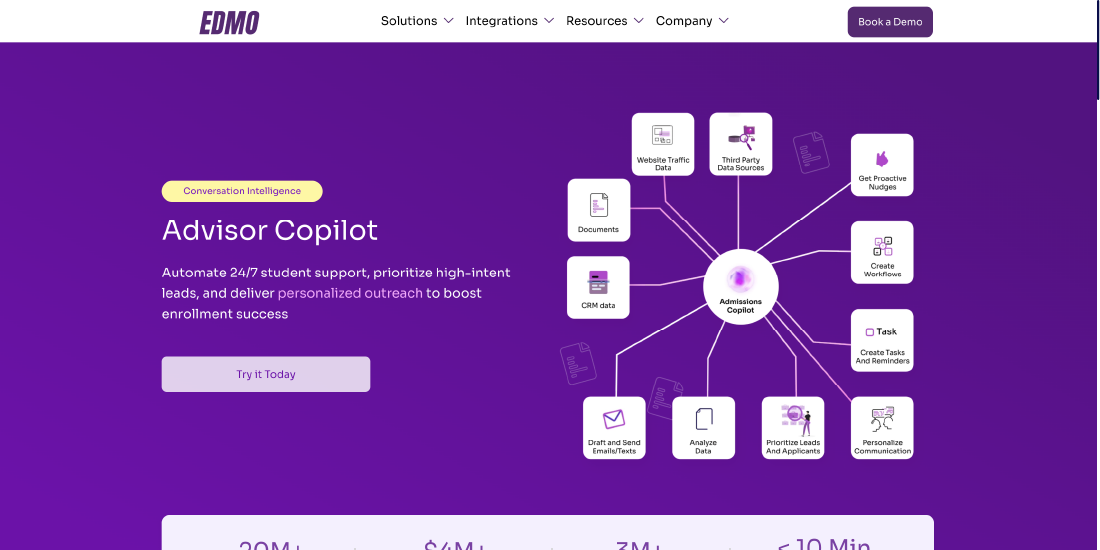
EDMO’s Advisor Copilot is an AI-powered assistant designed specifically for higher education advisors. It helps streamline everyday advising tasks by surfacing student insights, recommending next best actions, generating summaries, and reducing repetitive administrative work. Instead of manually reviewing multiple systems, advisors receive contextual recommendations that enable faster and more informed student support.
Key capabilities:
- AI-generated student summaries before advising sessions
- Recommended next steps based on student data and interactions
- Automated follow-up reminders and task tracking
- Meeting notes and interaction summaries
- Contextual insights pulled from multiple student data sources
Benefits:
- Reduces advisor administrative workload
- Helps advisors prioritize high-impact student interventions
- Improves consistency across advising teams
- Enables more personalized student conversations
- Frees up more time for meaningful student engagement
Microsoft Planner
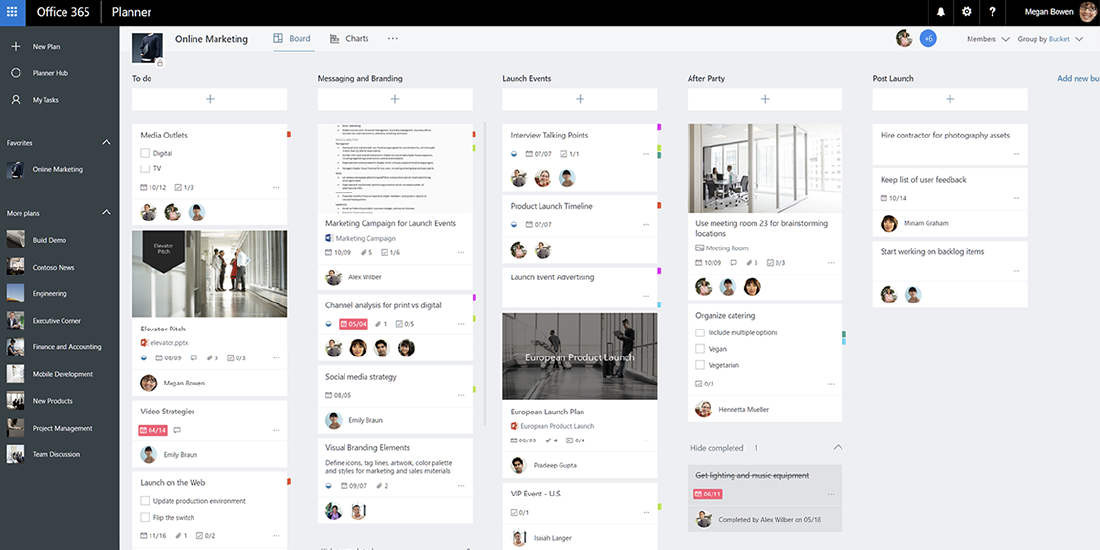
Microsoft Planner is a collaborative task management solution that integrates seamlessly with Microsoft 365. Universities can use it to organize advising workflows, assign tasks across departments, monitor progress, and keep everyone aligned on student support initiatives.
Key capabilities:
- Task assignment and ownership
- Due dates and reminders
- Progress tracking with visual boards
- Team collaboration within Microsoft Teams
- Shared project planning
Benefits:
- Keeps advising teams organized
- Improves accountability
- Simplifies collaboration across departments
- Reduces manual follow-ups
- Easy integration with existing Microsoft environments
Asana
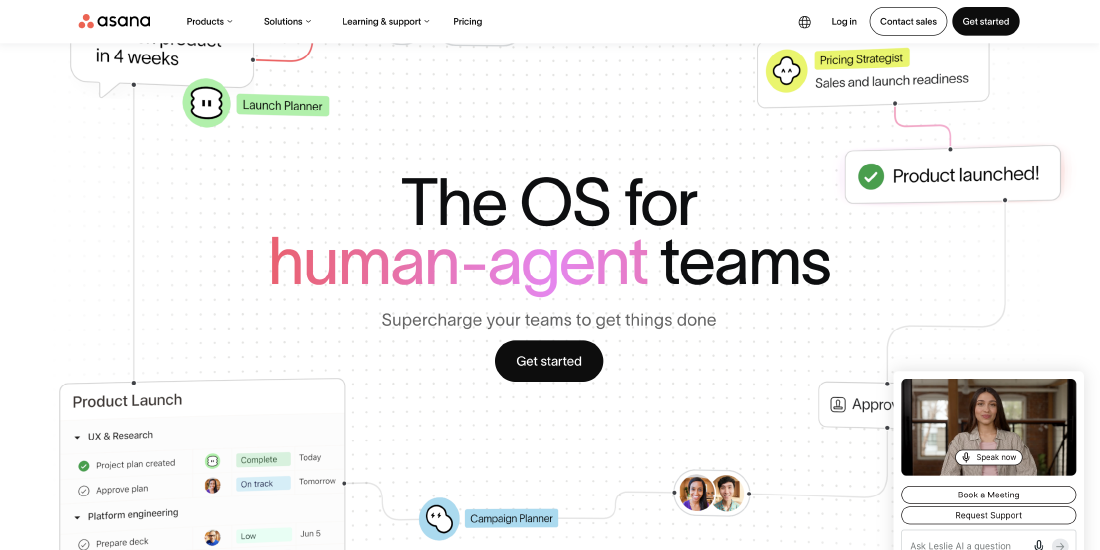
Asana helps universities manage complex student success initiatives by organizing projects, recurring workflows, and team responsibilities in one platform. Whether coordinating orientation programs, retention campaigns, or advising initiatives, teams can easily track every moving part.
Key capabilities:
- Project and task management
- Workflow automation
- Timeline and calendar views
- Progress reporting
- Team collaboration
Benefits:
- Standardizes student success workflows
- Improves visibility across projects
- Automates repetitive administrative tasks
- Enhances cross-functional collaboration
- Keeps projects on schedule
Trello
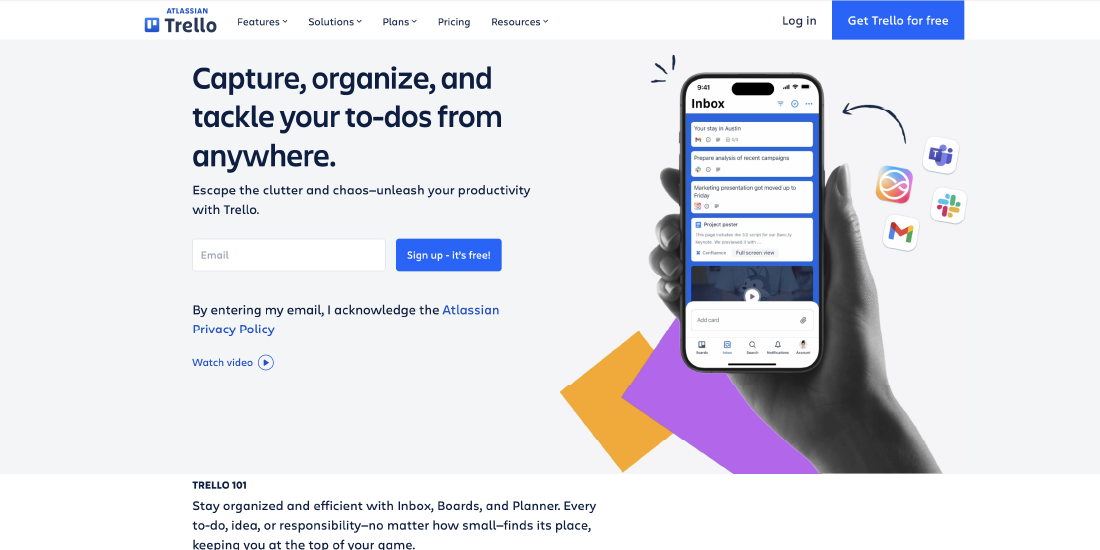
Trello offers a simple, visual approach to task management using Kanban boards. Student affairs teams, advisors, and support staff can organize tasks into customizable boards that track work from planning to completion.
Key capabilities:
- Drag-and-drop Kanban boards
- Checklists and task labels
- Due dates and reminders
- Automation through Butler
- Collaboration and file sharing
Benefits:
- Easy to learn and adopt
- Provides clear visibility into task status
- Supports collaborative planning
- Works well for small and medium-sized teams
- Flexible for different student success workflows
Monday.com
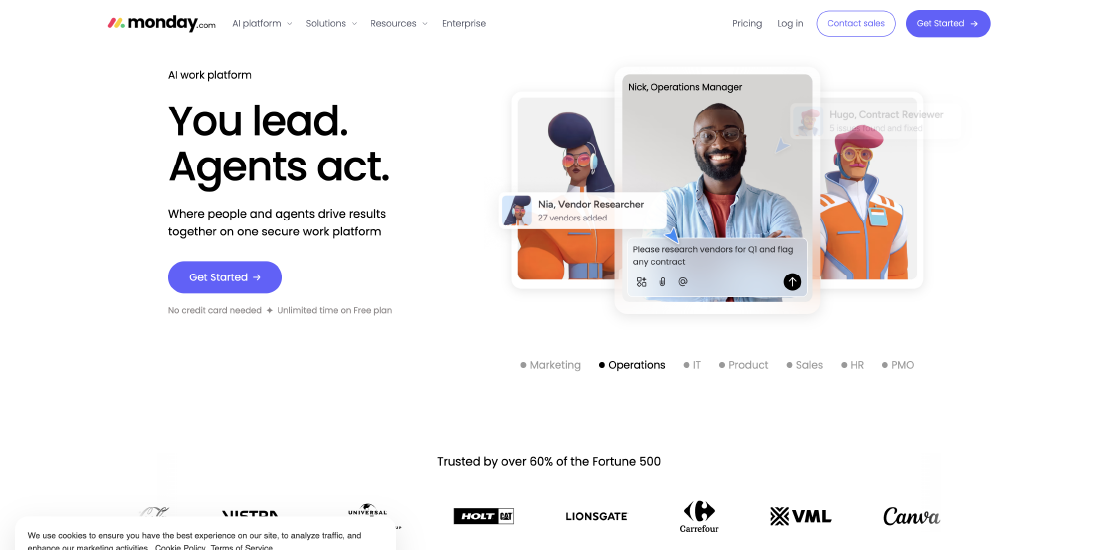
Monday.com enables universities to build customized workflows for advising, student support, orientation, and retention initiatives. Its automation features help eliminate repetitive administrative work while providing leadership with real-time visibility into team performance.
Key capabilities:
- Custom workflow creation
- Automated task assignments
- Dashboards and reporting
- Timeline and workload management
- Integration with multiple campus systems
Benefits:
- Highly customizable
- Reduces manual coordination
- Improves project transparency
- Supports data-driven management
- Scales across multiple departments
ClickUp
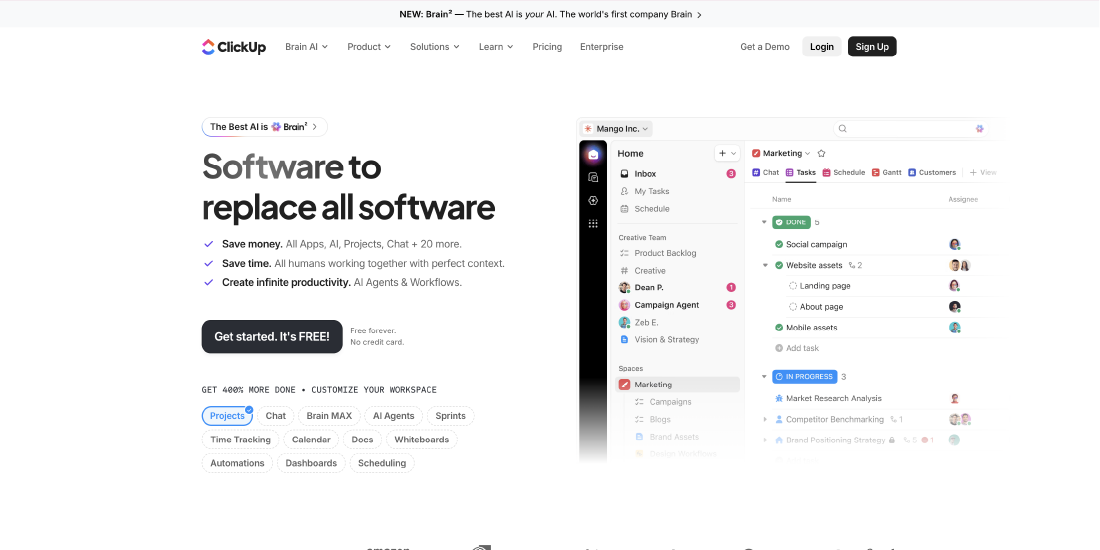
ClickUp combines task management, documentation, reminders, and collaboration into a single platform. Universities can use it to manage recurring advising processes, document standard operating procedures, and coordinate student success initiatives from one workspace.
Key capabilities:
- Task and project management
- Shared documents and knowledge base
- Goal tracking
- Workflow automation
- Calendar and dashboard views
Benefits:
- Consolidates multiple productivity tools
- Improves team collaboration
- Tracks institutional goals alongside daily tasks
- Supports both strategic planning and operational execution
- Offers flexible workflows for different departments
Notion
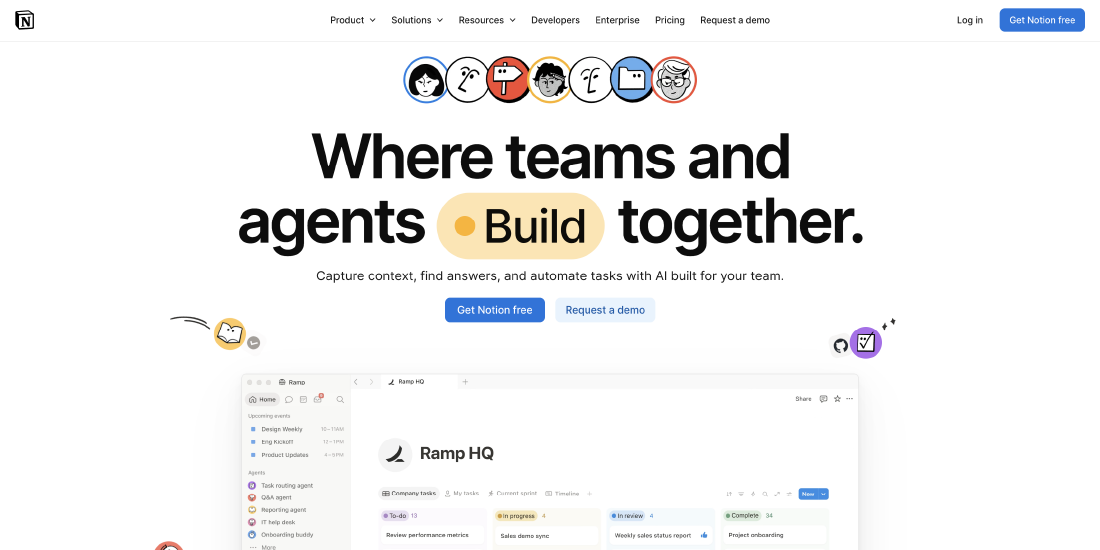
Notion serves as both a knowledge management and lightweight task management platform. Student success teams often use it to document advising resources, maintain playbooks, manage meeting notes, and organize internal projects alongside simple task tracking.
Key capabilities:
- Shared documentation
- Task databases
- Team wikis
- Meeting notes
- Collaborative workspaces
Benefits:
- Centralizes institutional knowledge
- Makes information easy to find
- Supports collaboration across teams
- Reduces duplicate documentation
- Combines project management with knowledge sharing
Jira (for Operational Teams)
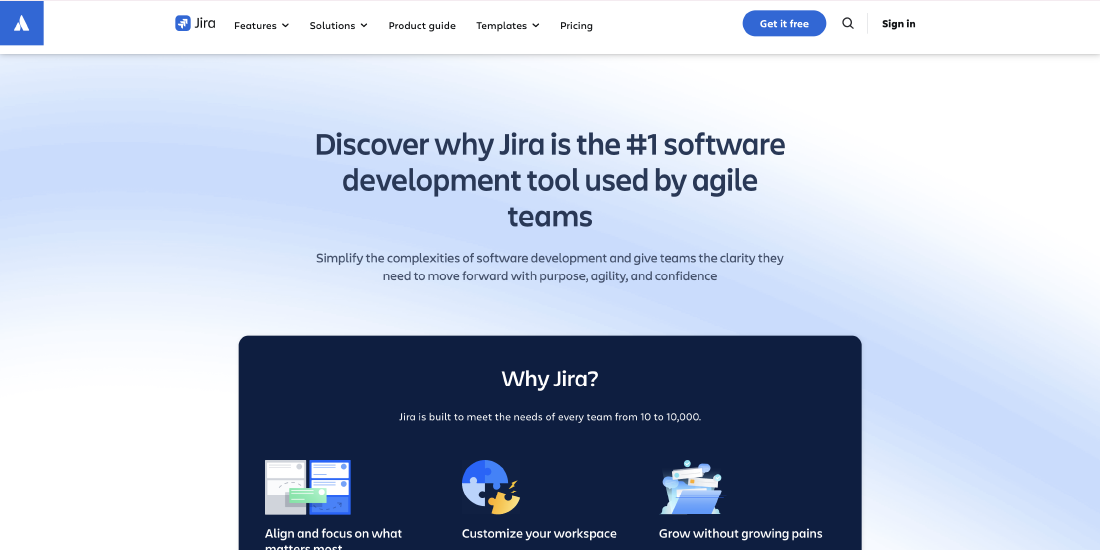
While traditionally used by software teams, Jira is increasingly adopted by university IT and operational departments that support student success technology projects. It helps manage implementation roadmaps, integrations, issue tracking, and system enhancements.
Key capabilities:
- Issue tracking
- Workflow automation
- Sprint and project planning
- Reporting dashboards
- Integration management
Benefits:
- Improves visibility into technology projects
- Tracks implementation progress
- Supports structured workflows
- Enhances collaboration between IT and functional teams
- Ensures continuous improvement of student success systems
Project Management Tools: Driving Student Success Initiatives from Planning to Execution
Student success depends on more than just one program or department. It takes many different initiatives working together at the same time. Universities often run projects like orientation programs, retention campaigns, peer mentoring, first-year experience programs, academic support, technology rollouts, and student engagement events. To keep these projects on track, teams need clear plans, well-defined roles, and strong collaboration.
Project management tools help schools organize their work in one place. Teams can plan projects, assign tasks, track progress, and meet deadlines without using long email threads or scattered spreadsheets. These tools let everyone work together in real time, automate routine tasks, and see how each project is moving forward. As a result, student success initiatives run more smoothly and are delivered on time.
Non-Enterprise Recommendations: Practical Tools for Growing Student Success Programs
Not every institution needs a complex, campus-wide student success platform. Many universities, community colleges, and smaller advising teams want solutions that are easy to use, quick to set up, and affordable, while still offering strong features. These tools can make advising more efficient, help teams work together, automate routine tasks, and keep student success efforts organized. Best of all, they do not require a long setup process.
If your institution is just starting out or wants to update certain processes before moving to a bigger platform, the solutions below offer a good mix of features, flexibility, and affordability.
EDMO
EDMO is designed for higher education teams that want to improve operational efficiency without the complexity of traditional enterprise software. Its AI-powered tools help advisors spend less time on administrative work and more time supporting students. From generating meeting summaries and recommending next actions to managing projects and organizing advisor workflows, EDMO brings multiple productivity capabilities into one intuitive platform.
Key solutions include:
- Advisor Copilot for AI-assisted advising and student insights
- AI-powered note-taking and meeting summaries
- Task management and follow-up tracking
Benefits:
- Quick implementation with minimal training
- Reduces administrative workload for advisors
- Helps teams stay organized and accountable
- Improves collaboration across departments
- Scales with institutional needs without the complexity of traditional enterprise platforms
Google Workspace
Google Workspace offers a familiar set of collaboration tools that help teams manage documents, spreadsheets, calendars, forms, and shared resources in one cloud-based environment.
Examples:
- Google Docs
- Google Sheets
- Google Drive
- Google Calendar
- Google Forms
Benefits:
- Easy collaboration
- Cloud-based access
- Low learning curve
- Cost-effective
- Real-time document editing
Notion
Notion combines documentation, project planning, task management, and knowledge sharing into one flexible workspace. It’s well suited for maintaining advising playbooks, onboarding guides, meeting notes, and internal processes.
Benefits:
- Centralized documentation
- Simple task management
- Collaborative workspaces
- Highly customizable
- Ideal for smaller teams
Trello
Trello’s visual Kanban boards make it easy to organize advising projects, orientation planning, outreach campaigns, and student support workflows.
Benefits:
- Intuitive interface
- Easy task tracking
- Visual workflow management
- Team collaboration
- Built-in automation
Airtable
Airtable combines spreadsheet simplicity with database functionality, making it useful for tracking mentoring programs, advising appointments, scholarship applications, and student engagement initiatives.
Benefits:
- Flexible data management
- Custom dashboards
- Automation capabilities
- Easy reporting
- Scalable workflows
Calendly
Calendly streamlines appointment scheduling by allowing students to book meetings based on advisor availability, reducing administrative coordination.
Benefits:
- Self-service scheduling
- Automated reminders
- Calendar synchronization
- Reduced no-shows
- Better student experience
Slack or Microsoft Teams
These collaboration platforms keep advising teams connected through instant messaging, file sharing, and dedicated channels for different student success initiatives.
Benefits:
- Faster communication
- Improved collaboration
- Easy file sharing
- Supports hybrid teams
- Reduces email dependency
Canva
Canva helps student affairs and advising teams create presentations, event materials, newsletters, orientation guides, and social media content without needing professional design expertise.
Benefits:
- Easy-to-use templates
- Professional-quality designs
- Brand consistency
- Team collaboration
- Saves design time
Zapier
Zapier connects different applications and automates repetitive workflows, such as creating tasks from form submissions, syncing data between platforms, or sending automated notifications.
Benefits:
- No-code automation
- Eliminates repetitive tasks
- Integrates hundreds of applications
- Improves operational efficiency
- Saves valuable staff time
This combination of tools gives institutions a practical technology stack that supports student success without the cost or complexity of a full enterprise implementation. As programs grow, universities can continue using many of these tools alongside larger student success platforms, creating a flexible and scalable ecosystem.
Conclusion
Student success is now a campus-wide commitment that depends on the right people, processes, and technology working together. Digital tools, from proactive advising and early alerts to task management and project collaboration, enable universities to provide timely, personalized support while reducing administrative burdens for staff.
The ideal technology stack depends on your institution’s size, goals, and current systems. While enterprise platforms offer comprehensive features, many universities achieve strong results by combining purpose-built solutions like EDMO with lightweight productivity and collaboration tools. The priority is to select technology that allows advisors to focus less on manual tasks and more on building meaningful relationships with students.
Ultimately, student success is not only about improving retention or graduation rates. It is about creating an environment where every student receives the guidance, resources, and support needed to reach their full potential.
Written By






No comments yet. Be the first to comment!
Leave a Comment