
How Can We Help?
User Manual- Advisor Copilot V1.0
- Document Type: Client Product Guide
- Prepared by: EDMO Team
- Date: 11/21/2025
- Environment: EDMO Advisor Copilot (Test Instance)
- URL: https://rwg.test.technolutions.net/manage/
- Account Manager Contact: Shreshtha Rajkotia –
- Email: shreshtha.rajkotia@goedmo.com
- Telephone: +91 99301 67331
1. Introduction
This document will help the Rowan University team explore and experience the EDMO platform through the Rowan Grad Slate test environment. This is your interactive space to understand how EDMO Advisor Copilot works and interact with it.
2. What You Can Do in the EDMO Playground
This environment is fully configured to showcase how Rowan University can use EDMO to:
- Converse with EDMO Advisor Copilot
- Get details of applicants.
- Draft and share notification to applicants.
3. Getting Started (Step-by-Step)
Navigate to Rowan’s Grad Slate Test Environment to experience EDMO’s Advisor Copilot. Upon logging in, your homescreen would have a small bubble on the bottom right and click on it.
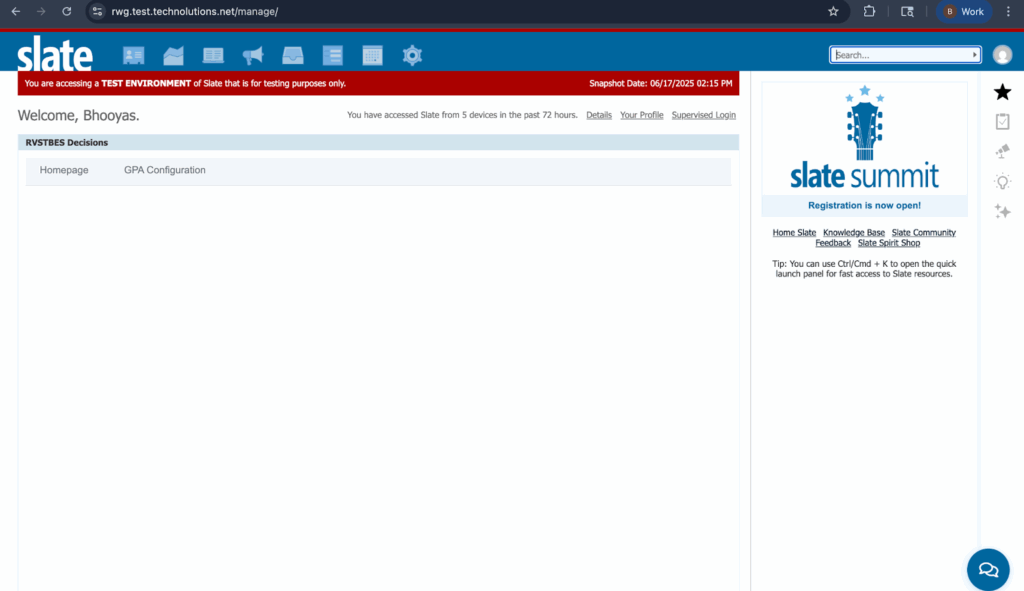
Click on the chat bubble to start EDMO Advisor Copilot.
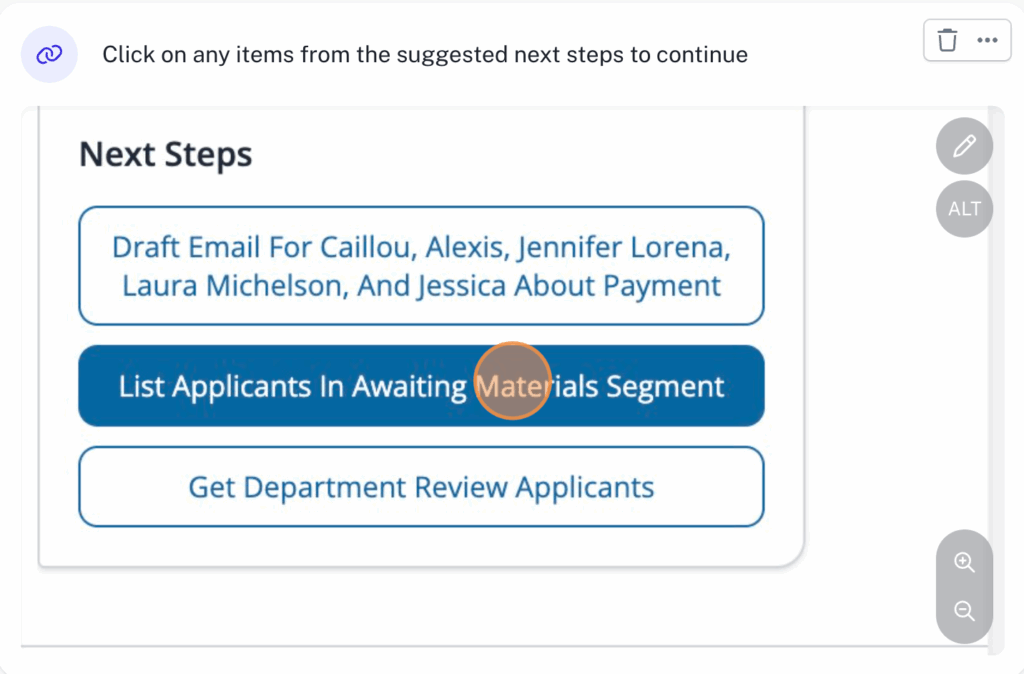
The copilot will suggest next steps for each response which can directly be used.
4. Key Features to Explore
- Application Status Query
- “What is [Student Name]’s application status?”
- “What is the status for student ID [Student ID]?”
- “What’s the application status for this student?” (Contextual, assuming a prior conversation with the student)
- Missing Documents List
- “What documents is [Student Name] missing?”
- “Show me the missing documents for student ID [Student ID].”
- Contact Information Retrieval
- “What is [Student Name]’s phone number and email?”
- “Can you get me the contact info for student ID [Student ID]?”
- Conversation History Summary
- “Summarize my conversation history with [Student Name].”
- “Give me a summary of conversation with student ID [Student ID].”
- Communication via Email, Whatsapp & SMS
- “Send bulk emails to students missing documents.”
- “Send acknowledgement emails to all new applicants.”
- “Send reminder emails to students who haven’t completed their application.”
- Prioritized Follow-Up List
- “Show me my top priorities today.”
- “Who should I follow up with now?”
- “What’s my priority list for this morning?”
- Last Contacted List
- “Show me applicants I have not contacted for more than 7 days”
- “Give me applicants whom I have not followed from more than a month”
5. Known Limitations/Expectations
- Outbound communication: The same is blocked in the testing environment. The same can be enabled on production.
- Latency: Bot response time is currently experiencing significant delays of 25-30 seconds. This will be brought down significantly on production.
- Large File Handling: Conversation history is not preserved when an advisor navigates between different Slate pages. This will be enabled once on production.
6. Support Contacts
- Technical Support: support@goedmo.com
- Product Owner:
- Shreshtha Rajkotia –
- Email: shreshtha.rajkotia@goedmo.com
- Telephone: +91 99301 67331
- Shreshtha Rajkotia –