

Table Of Contents
- 1Introduction
- 2What Is AI Document Analysis?
- 3The Evolution of AI Document Analysis Technology
- 4The Need for AI Document Analysis
- 5Key Benefits of AI Document Processing for Businesses
- 6AI in Document Analysis: High-Impact Case Studies and Examples
- 7Implementation Framework for AI Document Analysis
- 8How to Choose the Best AI Document Analysis Tool
- 9Summary
Introduction
Document Processing has quietly become one of the biggest bottlenecks in modern organizations until AI stepped in with a cape and said, “I got this.” Today, nearly 82% of enterprises report that manual document review slows down operations by days or even weeks or months. Meanwhile, 70% of global companies are adopting AI-driven document automation to cut processing time and remove human error.
Real-world impact is massive. For example, JPMorgan Chase reduced contract review time by 360,000 hours annually using AI. The U.S. Department of Homeland Security used AI-based document analysis to process immigration paperwork 55% faster, improving response times for millions. Even universities are leveraging AI to evaluate transcripts, SOPs, essays, and financial documents, slashing turnaround times by 40–60% and boosting applicant satisfaction scores.
AI-driven document intelligence now extracts data with 95–99% accuracy, interprets multi-page PDFs, identifies fraud, detects anomalies, and flags inconsistencies in seconds, tasks that once required hours of human review. With global document volumes expected to grow 4x by 2028, AI isn’t just a convenience; it’s becoming the infrastructure powering faster decisions, cleaner data, and more intelligent workflows.
What Is AI Document Analysis?
AI Document Analysis refers to the use of artificial intelligence to automatically read, understand, extract, classify, and validate information from documents, whether they’re PDFs, handwritten forms, transcripts, invoices, IDs, or multi-page contracts. Instead of relying on slow, error-prone manual review, AI uses advanced technologies like OCR, natural language processing (NLP), and machine learning to identify patterns, interpret content, and convert unstructured documents into structured, usable data.
Let’s know how it works and why it matters:
Automated Data Extraction
AI reads documents, PDFs, images, scanned files and extracts key fields such as names, dates, numbers, tables, signatures, and metadata with 90–99% accuracy, eliminating manual data entry.
Understanding Context, Not Just Text
Using NLP, AI interprets meaning, intent, sentiment, and relationships within the document, allowing it to identify clauses, categorize content, and detect anomalies.
Handles Structured, Semi-Structured & Unstructured Data
AI works with forms, invoices, transcripts, SOPs, ID cards, contracts, handwritten notes, and even multi-page complex documents.
Real-Time Validation & Error Detection
It cross-checks data, flags inconsistencies, and identifies missing fields or fraud reducing compliance risks and human mistakes.
Workflow Automation
AI triggers next steps automatically: routing documents to teams, updating CRM/ERP systems, notifying staff, or generating summaries.
Scales as Volume Grows
AI systems process millions of documents per month without additional manpower, making them ideal for industries facing seasonal spikes, such as admissions or insurance.
Improves Decision-Making
Cleaner data → faster approvals → more brilliant insights. AI enables organisations to make quicker, more informed decisions with confidence.

The Evolution of AI Document Analysis Technology
AI Document Analysis has rapidly evolved from simple OCR scanners to intelligent, context-aware systems capable of understanding, validating, and acting on complex documents. Over time, advancements in machine learning, NLP, and computer vision have made document processing faster, smarter, and nearly human-level in accuracy.
Early OCR (1980s–2000s): Text Extraction Begins
Early OCR focused solely on converting printed text into digital characters, offering basic reading capabilities with limited accuracy and no contextual understanding.
- Started with basic Optical Character Recognition that could only read printed characters.
- Accuracy depended heavily on clean, high-quality scans.
- No understanding of meaning, just raw character detection.
Template-Based Processing (2000s–2015): Structured Forms Only
Template-based systems relied on fixed layouts, enabling structured data extraction but failing whenever document formats changed or varied unexpectedly.
- Systems relied on fixed templates or layouts.
- Worked well for invoices and forms with predictable locations of fields.
- Failed when formats changed even slightly; low adaptability.
Machine Learning Enters (2015–2018): Smarter Pattern Recognition
Machine learning introduced adaptability, allowing systems to learn patterns, improve extraction accuracy, and handle semi-structured documents without rigid templates.
- Models began learning patterns instead of relying on templates.
- Improved extraction from semi-structured data like bank statements or transcripts.
- Reduced manual pre-configuration and boosted accuracy.
NLP Revolution (2018–2021): Understanding Context
Natural Language Processing brought contextual understanding, enabling AI to interpret meaning, classify documents, detect intent, and extract insights previously requiring human judgment.
- AI started interpreting meaning: clauses, sentiment, intent, relationships.
- Enabled automation of contracts, SOPs, essays, and legal documents.
- Systems could classify documents and extract key insights instantly.
Deep Learning + Computer Vision (2021–Present): Human-Level Accuracy
Deep learning empowered AI to analyze handwriting, signatures, tables, and low-quality scans with near-human accuracy, significantly improving reliability and automation.
- Neural networks now handle messy scans, handwriting, stamps, tables, and signatures.
- Accuracy ranged from 95% to 99% across many document types.
- AI identifies tampering, anomalies, fraud, and missing information.
Generative AI Era (2023–Present): Reasoning + Actions
Generative AI expanded document intelligence by enabling reasoning, summarization, comparison, and automated workflow decisions across complex, multi-page documents.
- AI no longer just reads documents, it analyzes, explains, summarizes, and reasons.
- Can compare documents, validate data, draft responses, and route workflows automatically.
- Integrates seamlessly with CRMs, ERPs, and enterprise apps.
Agentic AI (Emerging): End-to-End Automation
Agentic AI takes full autonomy, executing multi-step workflows analyzing documents, validating data, updating systems, and notifying teams without human intervention.
- AI agents perform multi-step tasks autonomously.
- Example: review a transcript → check requirements → update CRM → notify staff.
- Reduces processing time from hours to seconds.
The Need for AI Document Analysis
With rising data volumes, complex documents, and growing pressure for speed and accuracy, organizations can no longer rely on manual processing. AI Document Analysis is essential for reducing errors, accelerating workflows, improving compliance, and enabling teams to focus on higher-value, strategic work.
Massive Growth in Document Volume
Organizations now deal with millions of documents annually, including applications, invoices, contracts, IDs, transcripts, medical records, and more. Human teams simply can’t keep up with this scale without delays and burnout. AI can process thousands of documents per minute, ensuring faster turnaround, consistency, and zero backlog, even during peak seasons such as admissions, tax filing, or insurance claims.
Manual Processing Is Slow, Expensive & Error-Prone
Human review involves fatigue, inconsistencies, and unavoidable mistakes. Even a 1–2% error rate in financial, academic, or legal documentation can cause serious issues. AI delivers 95–99% accuracy, eliminates repetitive work, and reduces manual processing costs by 40–70%, freeing staff to focus on complex decision-making rather than typing and checking data.
Compliance, Verification & Fraud Detection Needs Have Increased
Industries such as finance, healthcare, education, and government must verify identities, validate data, and detect manipulation. AI can spot:
- Tampered PDFs
- Mismatched information
- Fake documents
- Missing pages or incorrect formats
This reduces compliance risks and ensures every document meets regulatory and institutional standards.
Faster Decision-Making Is Critical for Competitiveness
Whether it’s admissions decisions, loan approvals, claims processing, or background verification, organizations need accurate data fast. AI extracts and structures information instantly, enabling quicker decisions, fewer bottlenecks, and smoother workflows. Real-time analysis leads to better customer experience and higher operational efficiency.
User Expectations for Speed & Transparency Are Higher Than Ever
Students, customers, and clients now expect responses within minutes, not days. Slow document processing harms trust and satisfaction. AI accelerates document review, provides instant feedback, and ensures clean, accurate data is ready for counselors, officers, or analysts, resulting in a smoother, more transparent experience.
Key Benefits of AI Document Processing for Businesses
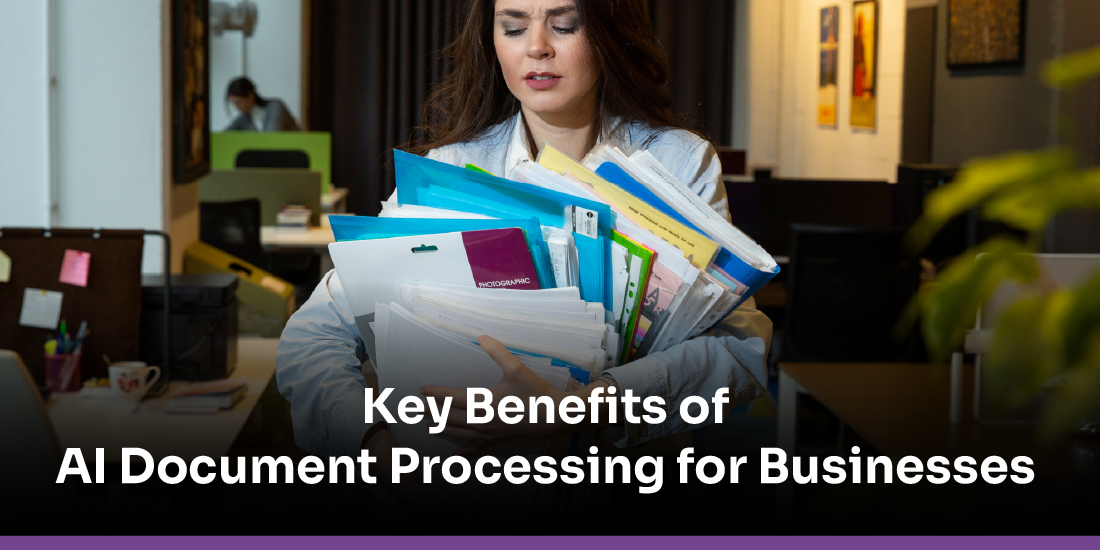
AI document processing helps businesses eliminate manual work, speed up operations, and improve accuracy across all departments. By automating data extraction, validation, and classification, companies reduce costs, boost productivity, enhance compliance, and deliver faster, smoother experiences to customers, clients, and internal teams.
End-to-End Document Understanding
AI doesn’t just read documents; it interprets context, intent, and relationships between fields. This allows it to analyze contracts, essays, transcripts, invoices, and IDs with human-like understanding. Businesses gain deeper insights, not just extracted text.
Multi-Language & Multiformat Support
AI can process documents in 50+ languages, including handwritten notes and mixed fonts. It handles photos, scans, PDFs, forms, and even distorted images from mobile uploads. This makes it useful for global teams and diverse customer bases.
Intelligent Classification & Sorting
AI automatically identifies document types such as ID, transcript, invoice, contract, and claim without manual intervention. It groups and routes them to the right workflows instantly. This reduces misfiling, speeds up processing, and maintains data organization at scale.
Real-Time Data Validation & Cross-Checking
AI cross-verifies names, dates, numbers, and formats across multiple documents. It detects discrepancies like mismatched birth dates or incorrect account numbers. This prevents downstream errors that often lead to costly rework.
Automated Quality & Completeness Checks
AI evaluates document clarity, missing pages, illegible text, and mandatory fields. It prompts users instantly when a document doesn’t meet requirements. This drastically reduces back-and-forth communication and resubmissions.
Fraud & Tampering Detection
AI examines metadata, pixel-level anomalies, and layout inconsistencies. It flags manipulated transcripts, edited PDFs, fake IDs, and synthetic documents. This adds a security layer that manual review often cannot achieve.
Seamless System Integration
AI seamlessly integrates with CRMs, ERPs, SIS, DMS, and workflow tools.
It updates records, triggers workflows, and syncs extracted data automatically. This converts isolated document tasks into smooth, connected digital processes.
Advanced Analytics & Insights Generation
AI doesn’t stop at extraction, it turns document data into insights. It detects trends, patterns, anomalies, and frequently missing information. Teams can make data-backed decisions faster and spot issues proactively.
Highly Scalable With Zero Performance Drop
AI maintains the same accuracy and speed whether handling 100 or 1 million documents. It scales instantly during high-demand cycles without adding manpower. This makes operations steady, predictable, and future-proof.
Enhanced Customer Experience Through Instant Responses
Customers get immediate confirmation, faster resolutions, and fewer errors.
No more waiting days for manual review or verification. This builds trust, loyalty, and a superior user experience across industries.
AI in Document Analysis: High-Impact Case Studies and Examples
AI Document Analysis refers to the use of AI techniques, including OCR, machine learning (ML), natural language processing (NLP), and computer vision (CV), to analyse and extract valuable information from large volumes of documents.
Rather than relying on human effort to comb through stacks of paperwork, AI systems can process scanned documents, forms, unstructured text, and images, converting them into structured, searchable, machine-readable data in minutes instead of hours or days.
Here are several common and high-impact applications of AI-powered document analysis across industries, along with what the AI actually does and the benefits.
Banking & Finance — Loan Applications, Mortgage, Invoices, Contract Processing

- Banks often receive massive volumes of loan applications, mortgage paperwork, invoices, deposit slips, etc. Processing all that manually would take thousands of man-hours and be prone to human error.
- With AI document analysis, these documents are automatically digitized (via OCR), relevant data fields are extracted (names, dates, amounts, signatures), documents are classified and routed appropriately, and compliance checks can be automated.
- This improves operational efficiency, speeds up loan/mortgage approvals, reduces manual burden, and lowers error rates.
Legal Firms — Contract & Legal Document Review

- Legal departments deal with many contracts, NDAs, case files, filings, regulatory documents. AI helps classify these, extract key clauses, parties, dates, obligations, tasks that otherwise require hours of manual review.
- AI-based classification and extraction greatly accelerate legal review, reduce risk of oversight, and make contract management more efficient.
Healthcare — Patient Records, Claims, Medical Reports, Insurance Documents

- Medical facilities and insurance providers handle volumes of paperwork: patient intake forms, insurance claims, lab reports, prescriptions, discharge summaries, etc.
- AI analyses scanned or handwritten medical documents, extracts relevant data (patient details, diagnosis codes, dates, insurance info), and converts them into structured digital records.
- This reduces administrative burden, improves accuracy of records, accelerates claims processing, and helps healthcare providers offer faster, data-driven care.
Government & Public Sector – Form Processing, Applications, Permits, Tax Filings, Grants
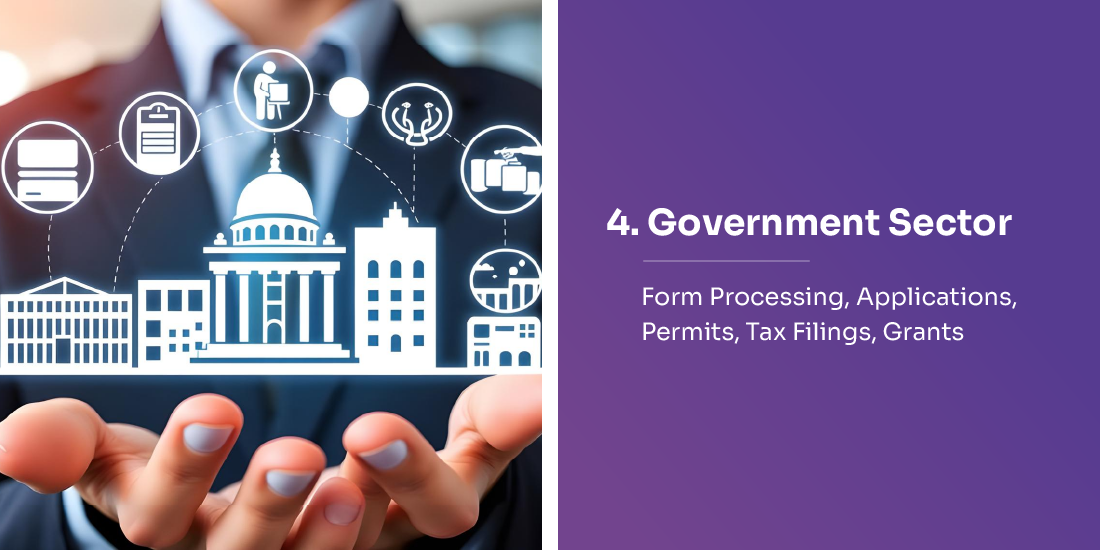
- Public agencies get huge volumes of citizen-submitted paperwork: visa/immigration forms, grant applications, tax filings, compliance reports, licenses, etc. AI helps by digitizing and automating their analysis.
- AI classifies documents, extracts data, validates completeness, flags missing or inconsistent information making public services faster and more transparent.
- This reduces manual backlog, accelerates service delivery, improves record-keeping and auditability, and lowers human workload.
Human Resources & Onboarding — Resumes, ID Verification, Employment Forms, Compliance Docs

- When organizations hire people, they deal with resumes, ID proofs, tax forms, background check documents. AI helps by automatically extracting and validating candidate information.
- This speeds up onboarding, reduces manual data entry errors, ensures consistency, and lets HR focus on higher-value tasks like interviews and culture-fit rather than paperwork.
Document Organization & Classification — Handling Structured, Semi-Structured, and Unstructured Files
- AI doesn’t just work on structured forms; it handles semi-structured documents (bank statements, invoices) and unstructured text (contracts, letters, scanned forms).
- It uses NLP + machine vision to interpret layout, context, text, tables, and other elements enabling extraction of fields, classification, indexing, and summarization.
- This dramatically reduces chaos in document repositories, enabling businesses to search, retrieve, analyze, and act on data quickly.
Fraud Detection & Data Validation — Flagging Suspicious or Tampered Documents

- AI can detect anomalies, inconsistencies, irregular formatting, duplicate documents, suspicious edits tasks that are hard for manual reviewers at scale.
- This is critical for sectors like banking, insurance, legal, government where compliance or fraud risk is high. AI reduces risk, increases trust in document integrity, and supports regulatory compliance.
Better Accuracy, Efficiency & Reduced Human Workload

- Automation replaces repetitive manual tasks, reducing human errors (typos, oversight, omissions) and improving consistency.
- AI scales like it can handle hundreds, thousands, or millions of documents with identical speed, something unthinkable for manual teams.
- This leads to cost savings, faster processing, and allows human employees to focus on judgment-intensive work rather than data entry.
Insights & Analytics — Unlocking Value from Unstructured Data

- By converting unstructured documents into structured data, AI enables analytics such as pattern detection, trend analysis, compliance audits, performance metrics, risk analysis.
- Businesses can derive strategic insights from their document repositories, such as recurring anomalies in invoices, frequent issues in claims, legal-risk patterns, common errors in applications.
- This transforms documents from a passive record-keeping burden into an active source of business intelligence.
Scalability & Flexibility — Supporting Growth and Varied Document Types

- AI solutions adapt to changing document formats, languages, layouts, and volumes, unlike template-based manual systems.
- Whether a business deals with a few dozen documents a day or thousands per hour, AI document analysis scales seamlessly with demand.
- This makes AI document analysis a future-ready approach as companies grow, data grows, and regulatory/compliance demands increase, AI keeps up without exponential rise in costs.
Implementation Framework for AI Document Analysis
Implementing AI Document Analysis requires more than just adopting technology, it demands a structured approach that aligns people, processes, data, and systems. A strong implementation framework ensures accuracy, scalability, compliance, and real business impact while minimizing risk and operational disruption.
Define Business Objectives & Use Cases
Start by identifying what you want AI to solve, such as faster approvals, better compliance, reduced manual workload, fraud detection, or improved customer experience.
Map specific document workflows (invoices, IDs, transcripts, claims, contracts) and define measurable success metrics like processing time, error reduction, and cost savings.
Audit Current Document Workflows & Data Quality
Review how documents are currently collected, validated, stored, and processed. Identify bottlenecks such as manual sorting, duplicate work, inconsistent formats, or poor-quality scans. Assess data sources, volumes, formats, and potential integration points.
Choose the Right AI Technology Stack
Select tools combining OCR, NLP, machine learning, and document intelligence. Prioritise solutions that offer multilingual support, scalability, fraud detection, and API integration. Evaluate vendors offering explainability, compliance features, and flexible deployment (cloud/on-premise).
Build or Integrate a Centralized Document Pipeline
Set up an ingestion pipeline that pulls documents from email, portals, CRMs, ERPs, scanners, or cloud storage. Enable automated classification, extraction, and indexing. Ensure the pipeline handles structured, semi-structured, and unstructured documents seamlessly.
Train Models Using Real, Labelled Documents
Use representative document samples to fine-tune extraction and classification models. Label fields (names, dates, IDs, signatures, tables) and incorporate domain-specific rules such as compliance checks or GPA formats. Continuously improve the model using feedback and real-world data.
Implement Validation, Fraud Detection & Business Rules
Set up rules to verify completeness, data accuracy, and cross-document consistency. Add anomaly detection to flag tampering, mismatches, missing pages, or suspicious edits. Ensure the system complies with regulatory frameworks such as GDPR, HIPAA, PCI, and FERPA.
Integrate With Enterprise Systems (CRM, ERP, SIS, DMS)
Connect AI outputs directly to systems such as Salesforce, Workday, Banner, Slate, Oracle, or SharePoint. Enable automatic updates, task triggers, routing, and approval workflows. Ensure the integration supports real-time sync and minimizes manual intervention.
Establish Human-in-the-Loop Review Processes
Enable humans to review edge cases, exceptions, or low-confidence extractions. Use human feedback to continuously improve model accuracy and refine business rules. Define escalation workflows for complex documents and compliance-sensitive tasks.
Monitor Performance, Accuracy & Operational Metrics
Track metrics such as extraction accuracy, processing speed, exceptions, and user satisfaction. Use dashboards to monitor workload peaks, error patterns, and fraud alerts. Optimize models and workflows based on performance trends.
Scale, Document, and Govern the System
Expand AI to new departments, document types, and use cases once initial results are validated. Create policies for model updates, data retention, security, and audit trails. Ensure governance frameworks support long-term scalability and regulatory compliance.
How to Choose the Best AI Document Analysis Tool
Choosing the right AI Document Analysis tool is critical for maximizing efficiency, accuracy, and automation across your document workflows. With dozens of platforms offering OCR, NLP, machine learning, and fraud detection, organisations must carefully evaluate tools to ensure they align with business goals, compliance needs, scalability requirements, and integration ecosystems.
Identify Your Core Use Cases & Document Types
Start by mapping the documents you need to process, such as IDs, invoices, contracts, transcripts, claims, or forms. Different tools specialise in specific domains, so match their capabilities to your needs. Clarify goals like extraction, classification, validation, fraud detection, or workflow automation.
Evaluate OCR, NLP & ML Accuracy Across Diverse Formats
Choose a tool with high accuracy on scanned, handwritten, low-resolution, and multilingual documents. Look for advanced OCR, natural language understanding, and AI models trained on real-world data.
Request accuracy benchmarks and test them with your own document samples.
Ensure It Supports Structured, Semi-Structured & Unstructured Documents
The best tools handle everything from clean forms to messy, multi-page PDFs. Check if it extracts tables, signatures, metadata, and handwritten fields. Support for varied formats ensures long-term flexibility.
Check for Advanced Validation & Fraud Detection Features
Look for anomaly detection, cross-document matching, duplicate detection, and tampering identification. Critical to industries such as finance, education, insurance, and government. These capabilities reduce risk and improve compliance.
Assess Ease of Integration With Existing Systems
The tool should connect seamlessly with CRM, ERP, DMS, SIS, workflow, and cloud storage platforms. Check for APIs, webhooks, native connectors, and real-time sync. Smooth integration reduces manual steps and accelerates automation.
Look for Workflow Automation Capabilities
A powerful tool should automatically route documents, trigger tasks, update records, and assign reviewers. This converts document analysis into end-to-end automated workflows. Saves time and reduces operational overhead.
Evaluate Security, Compliance & Data Governance
Ensure the tool complies with GDPR, HIPAA, FERPA, SOC 2, PCI-DSS, and other relevant standards. Check encryption, audit logs, access controls, and data retention policies. Security is non-negotiable, especially for sensitive documents.
Consider Customization & Model Training Options
Your industry may require custom fields, rules, and document formats. Look for tools that allow custom model training using your own dataset. This boosts accuracy and tailors the system to your workflow.
Review Scalability & Performance Under Heavy Loads
Choose a platform that can handle thousands or even millions of documents without slowing down. Ask about processing speed, throughput, and performance guarantees. Scalability ensures the tool grows with your business.
Compare Pricing, Licensing & Total Cost of Ownership
Understand if the pricing is per document, per API call, or per user. Factor in setup, training, integrations, and ongoing support costs. Choose a tool that offers the best long-term value, not just the lowest price.
Summary
Organizations today are drowning in paperwork, and traditional document review can’t keep up. That’s where AI steps in, speeding up processing, reducing errors, and turning messy, unstructured files into clean, usable data. Modern AI doesn’t just read text; it understands context, checks accuracy, detects fraud, and automatically moves documents through workflows. From banks and hospitals to universities and government offices, AI is helping teams make decisions faster and handle massive volumes without burnout. As document loads continue to climb, AI-powered analysis is becoming less of an upgrade and more of a core building block for efficient, scalable operations.
Frequently Asked Questions
Question 1. Can the AI Document Analyzer handle complex documents?
Question 2. What industries can benefit from AI document analysis?
Question 3. How accurate is AI document analysis?
Question 4. What are the key features to look for in a document analysis AI tool?
Question 5. Can AI detect fraudulent or tampered documents?
Question 6. Does AI document analysis work with handwritten text?
Written By




No comments yet. Be the first to comment!
Leave a Comment